
Automated Case & Box Palletizing: Design and Selection Guide

Automated Case & Box Palletizing: Design and Selection Guide Summary: Automated case and box palletizing is not simply a robot-at-the-end-of-the-line project. Reliable performance depends on carton quality, product flow, pallet patterns, end-of-arm tooling, conveyor design, pallet handling, controls, safety, changeovers and the required production rate. This guide explains the main system choices and the information manufacturers should define before selecting an automated palletizing solution. Case and box palletizing is one of the most common end-of-line automation opportunities because the task is repetitive, physically demanding and closely linked to production throughput. Alligator Automations Australia provides multiple palletizing solutions for products including cases and boxes, as well as robotic palletizing systems that can be integrated with conveyors and pallet handling. The right design depends on much more than the weight of a carton. A successful system has to receive cases consistently, grip them without damage, build the required pallet pattern, manage empty and full pallets, coordinate with upstream case packing, and recover safely when the product flow changes. What Is Automated Case and Box Palletizing? Automated case palletizing uses machinery to arrange finished cartons or cases onto pallets according to a programmed layer pattern. The system may use an articulated robot, gantry mechanism or another palletizing architecture. Cases normally arrive from an upstream packaging process by conveyor, are oriented or spaced as required, then picked or formed into layers before being placed on the pallet. In a complete packaging line, the palletizer may follow case packaging solutions and connect to pallet conveyor systems for empty pallet delivery, full pallet discharge, accumulation and downstream wrapping or dispatch. Start with the Case, Not the Robot Case Dimensions and Weight Document the full range of carton lengths, widths, heights and weights. Do not design only around the most common SKU. Minimum and maximum dimensions influence conveyor support, gripper design, robot reach, pattern generation and the number of cases that may be picked in one cycle. Carton Strength and Surface Corrugated quality, closure method, tape position, printed surfaces, perforations and product fill can affect gripping. A rigid, well-sealed carton can tolerate different handling from a lightly filled or flexible case. The palletizer should therefore be designed around the actual packaging condition at the end of production, not an ideal sample. Product Stability Inside the Case Even when the outer carton is strong, the contents can move. Bottles, pouches, cans or fragile products may shift under rapid acceleration. The palletizing motion profile, gripper contact and pallet pattern should protect both the carton and the product inside it. Choose the Palletizing Architecture Around the Application Robotic Palletizing A robotic palletizer is often a strong option when a line handles multiple SKUs, different pallet patterns or products that benefit from flexible pick-and-place motion. Tooling can be developed to handle one or multiple cases depending on product characteristics and required throughput. Robotic systems also make it practical to store different product recipes and pallet patterns. However, the robot should not be evaluated in isolation: infeed presentation, safety layout, pallet movement and downstream flow strongly influence the final cycle. Gantry or Cartesian Palletizing A gantry-style system moves along linear axes and can be effective where the product flow, pallet locations and required motion suit a structured overhead or frame-based arrangement. It may be considered when layout, payload, reach or application-specific handling makes a gantry architecture attractive. Conventional or Layer Palletizing Layer-forming palletizers can be effective where cases are regular, patterns are stable and high-throughput layer handling is required. The selection should consider SKU variety, line speed, changeover needs, pallet pattern flexibility, footprint and how often the production mix changes. Design the Case Infeed and Orientation The palletizer can only work with the product it receives. If cases arrive rotated, too close together, skewed or at inconsistent heights, the cell will spend time correcting problems that should have been solved in the infeed. Provide controlled case spacing before the pick or layer-forming area. Use guides that position the carton without crushing or dragging it. Match conveyor speeds so cases transfer without sudden rotation. Confirm short cartons are adequately supported across transfer gaps. Use sensors at positions that remain reliable across the full SKU range. Add orientation, metering or vision only where the product variation justifies it. Alligator Automations’ intralogistics conveyor solutions can be integrated with palletizing cells to manage product feed, spacing, accumulation and transfer through the end-of-line process. Select the Right End-of-Arm Tooling End-of-arm tooling is the interface between the palletizer and the case. The most suitable concept depends on case strength, weight, surface, porosity, available top area, required pick quantity and whether the same tool must handle multiple formats. Vacuum Tooling Vacuum can be effective for many cartons when the top surface is suitable and a stable seal can be achieved. Tool design should account for cardboard porosity, tape, print, dust, lid condition and the consequences of losing vacuum during a movement. Clamp or Mechanical Tooling Mechanical gripping may be appropriate when cartons cannot be lifted reliably by vacuum or when side support provides more secure handling. The design must control gripping force so the case is not crushed or deformed. Multi-Case Picking Picking more than one case per cycle can improve throughput in suitable applications, but it changes tool size, payload, robot motion, product spacing and pattern logic. It should be evaluated using real production cases and the required pallet pattern rather than assumed to be automatically faster. Build Pallet Patterns for Stability and Logistics The best pallet pattern is not always the pattern that fits the greatest number of cases. It should balance pallet utilisation with load stability, case strength, warehouse handling, transport conditions and any requirements for labels or product orientation. Pallet size and usable deck area Case dimensions and allowable overhang Layer interlock and support between cases Weight distribution through the pallet Maximum pallet height and load weight Case compression strength Whether labels need to face outward Need for slip sheets, top sheets or corner protection Downstream wrapping or strapping requirements Calculate Throughput from
Industrial Conveyor Preventive Maintenance Checklist
Industrial Conveyor Preventive Maintenance Checklist Summary: Preventive conveyor maintenance helps identify wear, contamination, misalignment, loose components and control issues before they develop into production-stopping faults. This practical checklist organises maintenance by shift, weekly, monthly and planned-shutdown activities so teams can build a consistent routine around safety, reliability and lifecycle performance. Industrial conveyors operate at the centre of many manufacturing, packaging, warehouse and distribution processes. When they stop, the impact is rarely limited to one conveyor section. Upstream products can accumulate, downstream equipment can starve and operators may be pulled away from productive work to recover the line. A preventive maintenance programme for industrial conveyor systems is therefore not only a maintenance task; it is part of production planning. The checklist below is designed as a practical starting point. Exact inspection intervals, lubrication requirements, torque settings, replacement criteria and safety procedures must always follow the specific equipment documentation and site requirements. Maintenance should only be carried out by authorised people using the required isolation and safe-access procedures. What Should a Conveyor Preventive Maintenance Programme Cover? A complete programme should look at the mechanical system, electrical and controls components, product path, safety devices and the conveyor’s interaction with other equipment. The aim is to detect changes before they become failures. Belt, roller, chain, sprocket and pulley condition Bearings, gearboxes, motors and drive components Frames, guards, supports and fasteners Guides, stops, transfers and accumulation zones Sensors, reflectors, encoders and switches Electrical connections and control panels Pneumatic devices where fitted Lubrication points and contamination control Safety interlocks, emergency stops and guarding Fault history, downtime and recurring maintenance trends Daily or Shift Conveyor Checks Operators are often the first people to notice a change in sound, vibration, tracking or product flow. A short start-of-shift and during-shift observation can catch problems early without turning operators into maintenance technicians. Visual and Operational Checks Look for loose packaging, debris, straps or broken pallet material in the conveyor path. Confirm products are travelling centrally and are not repeatedly contacting side guides. Watch transfers for bouncing, catching, tipping or rotation. Listen for new grinding, clicking, squealing or knocking noises. Check for unusual vibration in rollers, motors, gearboxes or frames. Confirm accumulation zones are releasing loads correctly. Observe whether sensors detect products consistently. Record recurring alarms rather than clearing them without a note. Housekeeping Cleanliness is a reliability issue. Dust, labels, stretch film, product residue and broken packaging can interfere with sensors, rollers and moving components. Cleaning methods should suit the conveyor environment and must not introduce water, chemicals or compressed-air practices that are unsuitable for the equipment. Weekly Preventive Maintenance Checklist Rollers, Bearings and Moving Components Rotate or run rollers as permitted and look for binding or irregular movement. Inspect roller surfaces for damage, contamination or excessive wear. Check bearings for unusual noise, temperature or looseness. Inspect drive rollers and powered zones for consistent operation. Check that guards and covers remain secure after maintenance access. Belt and Tracking Checks Inspect the belt surface and edges for cuts, fraying or abnormal wear. Observe tracking under normal load rather than only when empty. Check for material build-up on pulleys and return rollers. Confirm that tracking adjustments have not been over-corrected. Review any repeated belt-contact marks on the frame or guards. Chain and Sprocket Checks For chain-driven applications, inspect chain condition, tension, alignment and sprocket wear according to the equipment requirements. If the operation uses dedicated chain conveyor systems, maintenance should also consider the load interface and how pallets or carriers enter and leave the chain section. Monthly Preventive Maintenance Checklist Drive System Inspect motors and gearboxes for abnormal noise, leakage, heat or vibration. Check mounting bolts, couplings and drive guards. Inspect belts, chains or other transmission components between motor and conveyor. Review variable-speed drive alarms or repeated over-current events where applicable. Compare operating condition with previous maintenance observations. Sensors and Controls Clean and inspect photoelectric sensors and reflectors. Check sensor brackets for movement or vibration damage. Test detection using the actual range of products handled. Inspect accessible cabling, connectors and junction boxes for damage. Review HMI alarm history for repeated faults that operators may have normalised. Check zone logic and product release at accumulation conveyors. Guides, Stops and Transfer Points Transfer points deserve their own inspection because small geometry changes can create recurring jams. Check conveyor heights, dead plates, rollers, guides, stops, turntables, pop-up transfers or lift sections for looseness, wear and product contact. Repeated scuffing on cartons or pallets is useful evidence that the load is touching something it should not. Planned Shutdown Maintenance Some inspections and replacements require the conveyor to be isolated and unavailable for production. These tasks are best grouped into planned maintenance windows so corrective work can be completed deliberately rather than during a breakdown. Detailed frame and structural inspection Alignment verification across conveyor sections and transfers Planned replacement of wear components based on condition and service guidance Drive, coupling and gearbox inspection Electrical connection inspection by authorised personnel Safety device and interlock verification Inspection of pneumatic valves, cylinders and air preparation where used Cleaning in areas that cannot be accessed during operation Control backup and documentation review where relevant Functional testing after maintenance before returning the line to production Preventive Maintenance Schedule by Frequency Frequency Mechanical Product Flow Controls Record Each shift Noise, vibration, visible damage Tracking, guides, transfers, accumulation Visible sensor/alarms Log abnormalities Weekly Rollers, belt/chain condition, guards Repeated contact or jams Sensor cleanliness Open work orders Monthly Drives, bearings, fasteners, transmission Transfer geometry and wear Sensor mounting, alarm trends Trend recurring faults Planned shutdown Alignment, wear replacement, detailed inspection Full line test Electrical/interlock verification Close actions and update baseline Special Considerations for Pallet Conveyors Loaded pallets place very different demands on a conveyor compared with cartons or totes. Maintenance for pallet conveyor systems should pay particular attention to roller or chain loading, pallet condition, stop positions, transfers, accumulation and the alignment of pallets before connected equipment. Damaged pallets are a maintenance and process issue at the same time. Broken boards, protruding nails, missing
How to Reduce Conveyor Jams, Misalignment and Unplanned Stops?
End-of-Line Automation Design Checklist for Manufacturers Summary: End-of-line automation should be designed as one connected production system. A good project brief covers products, throughput, secondary packaging, conveyors, palletizing, load securing, pallet handling, controls, safety, utilities, maintenance, testing and future growth. This checklist gives manufacturers a structured way to define the project before equipment is selected, helping reduce integration gaps and avoid moving a bottleneck from one stage to another. Many automation projects begin with a machine request: “We need a palletizer,” “We need a faster wrapper,” or “We need conveyors.” The real requirement is usually broader. The manufacturer needs finished products to move from the production line to a stable, secured pallet and then toward storage or dispatch at a predictable rate. That is why end-of-line packaging automation should be planned around the complete flow rather than as separate equipment purchases. 1. Define the End-of-Line Starting and Finishing Points First decide exactly where the automation scope begins and ends. Does it start when an individual product leaves the filler? After a bag is sealed? After a case is formed? Does it end at a wrapped pallet, at warehouse hand-off or after truck loading? Clear boundaries prevent interface responsibilities from being missed. Document the process sequence A typical end-of-line flow might be: primary pack → secondary packaging → product conveyor → inspection → palletizing → pallet conveyor → wrapping or strapping → storage/dispatch. Bulk products may instead move through automatic bagging before palletizing. Other products may require case packaging before they are ready for the palletizer. 2. Build a Complete Product and Packaging Matrix Automation cannot be designed accurately around a single “typical” product if production handles a much wider range. Create a matrix that includes current products and credible future variants. Record for every SKU Length, width, height and weight. Primary and secondary packaging material. Fragility, rigidity and surface conditions. Required orientation during transfer. Cases, bags, bottles, drums, pails, crates or other handling format. Permitted compression, gripping or vacuum contact areas. Pallet pattern and layer requirements. Expected production rate. 3. Define Normal, Peak and Future Throughput Design against real production behaviour. The daily average can hide short periods of much higher output. Capture normal rate, peak rate, shift pattern, changeover frequency and the expected production rate after planned upstream improvements. Key throughput questions How many units, cases or bags leave the upstream line per minute? How many pallets must be completed per hour? How long is each pallet unavailable during changeover? Which downstream process has the slowest cycle? How long can upstream production continue if the downstream process stops? 4. Identify the Current Bottlenecks and Manual Touchpoints Walk the existing process and record where queues form, where operators repeatedly lift products, where forklifts enter production areas and where quality problems occur. Automating a stage that is already faster than the rest of the line may provide little benefit. Prioritise the constraint that limits throughput, consistency or safe working conditions. 5. Define Secondary Packaging Requirements If products need to be grouped or protected before palletizing, define the case or secondary packaging process. Consider case style, product count, orientation, closing method, changeover and inspection. Case packaging solutions should deliver a consistent unit that downstream conveyors and palletizers can handle reliably. 6. Design Product Conveying and Accumulation Conveyors must do more than connect machines. They control product spacing, merging, accumulation, orientation and presentation. Select the intralogistics conveyor system around product behaviour and the required line logic. Conveyor checklist Product dimensions and contact surface. Required conveyor speed and spacing. Curves, merges, transfers and elevation changes. Accumulation before bottleneck machines. Washdown, dust or environmental conditions. Sensor positions and jam detection. Operator crossing points and maintenance access. 7. Select the Palletizing Architecture from the Application The palletizer should be selected only after product, throughput and layout are understood. Alligator Automations Australia offers robotic palletizing, gantry palletizing and other palletizing solutions. Each architecture has different strengths in flexibility, payload, footprint, product handling and pattern formation. Palletizing checklist Product weight and packaging behaviour. Number of infeed lines. Number of pallet positions. Required patterns and layer sheets. Empty-pallet supply method. Gripper or end-of-arm tooling requirements. Pallet changeover time. Guarding, access and maintenance. 8. Design Pallet Flow After Palletizing A full pallet needs somewhere to go. Define whether it will be removed by forklift, transferred automatically to wrapping, sent to storage or prepared for loading. Pallet conveyor systems and pallet handling solutions can create controlled movement between these stages and reduce repeated manual transport. Pallet-flow checklist Pallet dimensions and underside construction. Maximum completed load weight and height. Required transfer orientation. Buffer positions between palletizer and wrapper. Turntables, chain transfers or lift-and-turn devices. Forklift hand-off or warehouse interface. 9. Define Pallet Securing and Packaging Stable stacking is only one part of transport readiness. The finished pallet may need stretch wrapping, strapping, stretch hooding or another load-securing method. Pallet packaging systems should be selected according to load stability, pallet dimensions, throughput and distribution requirements. The wrapper or strapper must also be capacity-matched to the palletizer. If the palletizer completes loads faster than they can be secured, provide suitable accumulation so the line does not stop repeatedly. 10. Consider Dispatch and Automatic Truck Loading If finished pallets leave the end-of-line area faster than they can be loaded, the loading dock can become the next bottleneck. High-volume facilities can assess whether automatic truck loading is appropriate for the transport flow, trailer/container types and site conditions. 11. Define the PLC, HMI and Data Architecture Controls should coordinate all machine states and make the line understandable to operators. Define who owns the master sequence, how machines exchange signals, how recipes are stored and what happens during faults. Controls checklist Ready/busy/fault signals between machines. Product and pallet presence sensing. Buffer-full and buffer-empty logic. Recipe and SKU selection. Alarm history and diagnostics. Production counts and downtime data where required. Software backups and change management. Interfaces to existing plant systems where required. 12. Complete the Safety Concept Before Final Layout Safety affects the footprint and sequence of the
End-of-Line Automation Design Checklist for Manufacturers
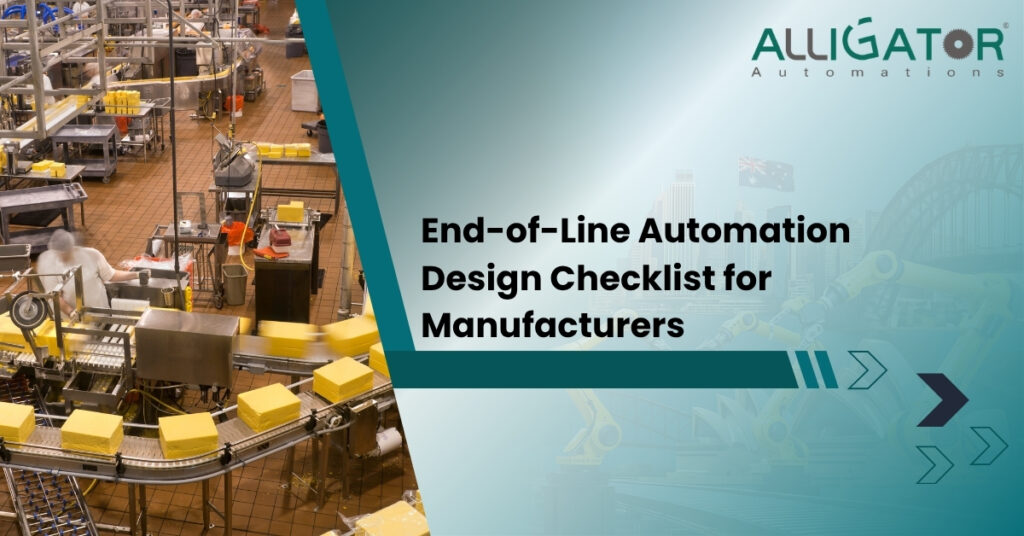
End-of-Line Automation Design Checklist for Manufacturers Summary: End-of-line automation should be designed as one connected production system. A good project brief covers products, throughput, secondary packaging, conveyors, palletizing, load securing, pallet handling, controls, safety, utilities, maintenance, testing and future growth. This checklist gives manufacturers a structured way to define the project before equipment is selected, helping reduce integration gaps and avoid moving a bottleneck from one stage to another. Many automation projects begin with a machine request: “We need a palletizer,” “We need a faster wrapper,” or “We need conveyors.” The real requirement is usually broader. The manufacturer needs finished products to move from the production line to a stable, secured pallet and then toward storage or dispatch at a predictable rate. That is why end-of-line packaging automation should be planned around the complete flow rather than as separate equipment purchases. 1. Define the End-of-Line Starting and Finishing Points First decide exactly where the automation scope begins and ends. Does it start when an individual product leaves the filler? After a bag is sealed? After a case is formed? Does it end at a wrapped pallet, at warehouse hand-off or after truck loading? Clear boundaries prevent interface responsibilities from being missed. Document the process sequence A typical end-of-line flow might be: primary pack → secondary packaging → product conveyor → inspection → palletizing → pallet conveyor → wrapping or strapping → storage/dispatch. Bulk products may instead move through automatic bagging before palletizing. Other products may require case packaging before they are ready for the palletizer. 2. Build a Complete Product and Packaging Matrix Automation cannot be designed accurately around a single “typical” product if production handles a much wider range. Create a matrix that includes current products and credible future variants. Record for every SKU Length, width, height and weight. Primary and secondary packaging material. Fragility, rigidity and surface conditions. Required orientation during transfer. Cases, bags, bottles, drums, pails, crates or other handling format. Permitted compression, gripping or vacuum contact areas. Pallet pattern and layer requirements. Expected production rate. 3. Define Normal, Peak and Future Throughput Design against real production behaviour. The daily average can hide short periods of much higher output. Capture normal rate, peak rate, shift pattern, changeover frequency and the expected production rate after planned upstream improvements. Key throughput questions How many units, cases or bags leave the upstream line per minute? How many pallets must be completed per hour? How long is each pallet unavailable during changeover? Which downstream process has the slowest cycle? How long can upstream production continue if the downstream process stops? 4. Identify the Current Bottlenecks and Manual Touchpoints Walk the existing process and record where queues form, where operators repeatedly lift products, where forklifts enter production areas and where quality problems occur. Automating a stage that is already faster than the rest of the line may provide little benefit. Prioritise the constraint that limits throughput, consistency or safe working conditions. 5. Define Secondary Packaging Requirements If products need to be grouped or protected before palletizing, define the case or secondary packaging process. Consider case style, product count, orientation, closing method, changeover and inspection. Case packaging solutions should deliver a consistent unit that downstream conveyors and palletizers can handle reliably. 6. Design Product Conveying and Accumulation Conveyors must do more than connect machines. They control product spacing, merging, accumulation, orientation and presentation. Select the intralogistics conveyor system around product behaviour and the required line logic. Conveyor checklist Product dimensions and contact surface. Required conveyor speed and spacing. Curves, merges, transfers and elevation changes. Accumulation before bottleneck machines. Washdown, dust or environmental conditions. Sensor positions and jam detection. Operator crossing points and maintenance access. 7. Select the Palletizing Architecture from the Application The palletizer should be selected only after product, throughput and layout are understood. Alligator Automations Australia offers robotic palletizing, gantry palletizing and other palletizing solutions. Each architecture has different strengths in flexibility, payload, footprint, product handling and pattern formation. Palletizing checklist Product weight and packaging behaviour. Number of infeed lines. Number of pallet positions. Required patterns and layer sheets. Empty-pallet supply method. Gripper or end-of-arm tooling requirements. Pallet changeover time. Guarding, access and maintenance. 8. Design Pallet Flow After Palletizing A full pallet needs somewhere to go. Define whether it will be removed by forklift, transferred automatically to wrapping, sent to storage or prepared for loading. Pallet conveyor systems and pallet handling solutions can create controlled movement between these stages and reduce repeated manual transport. Pallet-flow checklist Pallet dimensions and underside construction. Maximum completed load weight and height. Required transfer orientation. Buffer positions between palletizer and wrapper. Turntables, chain transfers or lift-and-turn devices. Forklift hand-off or warehouse interface. 9. Define Pallet Securing and Packaging Stable stacking is only one part of transport readiness. The finished pallet may need stretch wrapping, strapping, stretch hooding or another load-securing method. Pallet packaging systems should be selected according to load stability, pallet dimensions, throughput and distribution requirements. The wrapper or strapper must also be capacity-matched to the palletizer. If the palletizer completes loads faster than they can be secured, provide suitable accumulation so the line does not stop repeatedly. 10. Consider Dispatch and Automatic Truck Loading If finished pallets leave the end-of-line area faster than they can be loaded, the loading dock can become the next bottleneck. High-volume facilities can assess whether automatic truck loading is appropriate for the transport flow, trailer/container types and site conditions. 11. Define the PLC, HMI and Data Architecture Controls should coordinate all machine states and make the line understandable to operators. Define who owns the master sequence, how machines exchange signals, how recipes are stored and what happens during faults. Controls checklist Ready/busy/fault signals between machines. Product and pallet presence sensing. Buffer-full and buffer-empty logic. Recipe and SKU selection. Alarm history and diagnostics. Production counts and downtime data where required. Software backups and change management. Interfaces to existing plant systems where required. 12. Complete the Safety Concept Before Final Layout Safety affects the footprint and sequence of the
Pallet Conveyor System Design: Loads, Transfers, Accumulation & Controls
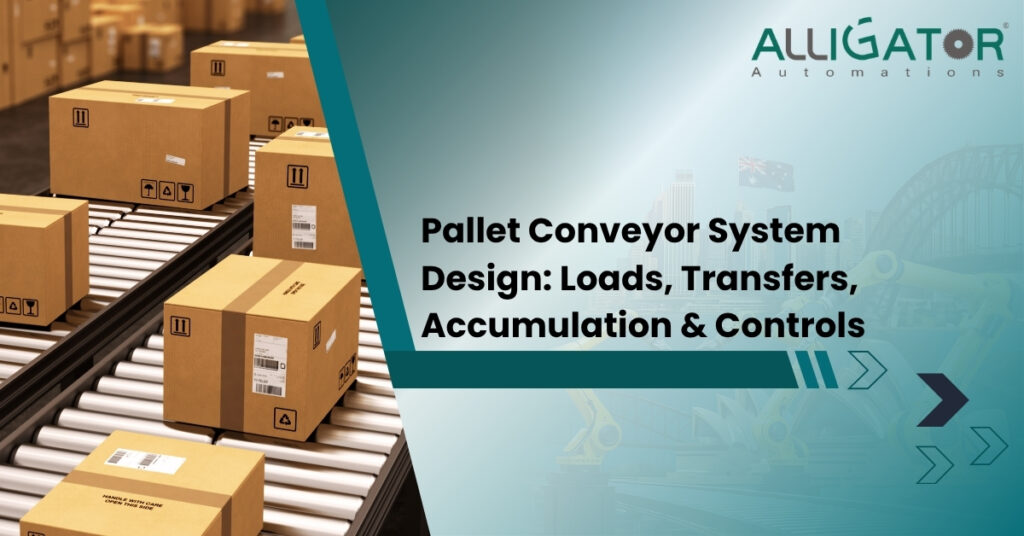
Pallet Conveyor System Design: Loads, Transfers, Accumulation & Controls Summary: A pallet conveyor system should be designed around the load and process, not around a preferred conveyor type. Pallet dimensions, underside construction, total weight, stability, throughput, transfer direction, accumulation requirements, interfaces and control logic all affect the design. Getting these fundamentals right helps prevent unstable transfers, unnecessary forklift movement, bottlenecks and difficult commissioning. Pallet conveyors look simple when viewed as a straight line of rollers or chains, but reliable pallet movement requires much more engineering than selecting a motor and frame. The conveyor has to support the pallet correctly, transfer it between machines, stop it accurately, accumulate it safely, communicate with upstream and downstream equipment and remain maintainable throughout its life. Alligator Automations Australia provides pallet conveyor systems and broader pallet handling solutions for automated manufacturing and warehouse material flow. Start Pallet Conveyor Design with the Load The first engineering input is the unit load: pallet plus product. If this data is incomplete, the conveyor design is being built on assumptions. Define pallet construction Record pallet length, width, height, entry direction and underside design. A roller conveyor needs suitable support points under the pallet. A chain conveyor may support different pallet runners. Damaged pallets, protruding boards or inconsistent bottom geometry can create transfer problems even when the conveyor itself is correctly built. Define total load weight and distribution Use the maximum real pallet load, not the average. Also consider whether the load is evenly distributed. A tall or off-centre pallet may have different acceleration, stopping and stability requirements from a compact, evenly distributed load of the same total weight. Check pallet and product stability Loose cartons, flexible bags or unstable layers can move when the pallet accelerates, turns or stops. Conveyor speed and transfer design therefore need to be considered with the upstream palletizing solution and downstream pallet packaging system. Choose the Conveyor Type Around the Pallet and Movement Different pallet movements are better suited to different mechanical arrangements. Alligator Automations Australia’s intralogistics conveyors include roller, chain, accumulation and transfer configurations used across pallet and product handling. Roller pallet conveyors Powered rollers can be effective when the pallet underside provides reliable support across the roller path. They are commonly used for straight pallet transport, controlled accumulation and integration with palletizing or wrapping equipment. Chain conveyors Multi-strand chain conveyors support the pallet on defined runners and can be useful when roller support is unsuitable or when transfer geometry requires chain-based handling. They are also commonly combined with pop-up transfer mechanisms. Gravity pallet conveyors Gravity can reduce powered components in suitable applications, but the slope, pallet weight range, braking and safe stopping behaviour must be engineered carefully. A system handling a wide variation in pallet weights needs particular attention. Special transfer equipment Turntables, pop-up chains, lift-and-turn units, transfer cars and similar devices allow the pallet to change direction, orientation or conveyor line. These devices are often where alignment problems appear, so the transfer should be tested with the real pallet types and maximum loads. How to Calculate the Required Pallet Throughput Conveyor speed should be based on process capacity, not a desire to move pallets as fast as possible. Define the required pallets per hour, the spacing between loads, transfer cycle times, machine dwell times and the expected behaviour during downstream stops. Build a simple process capacity model How often does the upstream machine release a pallet? How long does each conveyor transfer take? How long does the wrapper, labeller or inspection station hold the pallet? How many pallets can accumulate before upstream production must stop? How quickly must the line recover after a short stoppage? The aim is balanced flow. Increasing conveyor speed does not fix a slow downstream process; it may simply deliver pallets to the bottleneck faster. Pallet Transfer Design: Where Most Problems Occur Keep transfer gaps and height differences under control A pallet should move from one section to another without losing support, catching a runner or destabilising the load. Transitions between rollers, chains, turntables and machine conveyors need suitable levels, clearances and support geometry. Control pallet orientation Some pallets can travel in either direction; others perform better when conveyed with specific bottom boards or runners aligned to the conveyor. The system design should standardise orientation where possible and detect incorrect presentation when it could create a jam. Use stops and positioning devices where accuracy matters A palletizer, wrapper, labeller or automatic truck-loading preparation station may require the pallet to stop in a repeatable position. Sensors alone confirm presence; mechanical stops, centring devices or controlled drives may be needed for accurate final positioning. Accumulation: Designing Buffers that Protect Production Accumulation gives the line temporary storage between processes with different cycle times. It is one of the most valuable tools in pallet conveyor design because it prevents every short downstream stop from immediately stopping upstream production. Why pallet accumulation is needed A stretch wrapper has a longer cycle time than the palletizer. A forklift or warehouse process occasionally delays pallet removal. A label check or quality hold creates intermittent dwell time. The dispatch process runs in batches rather than continuously. How much accumulation should you provide? There is no universal number of pallet positions. A practical buffer study considers the upstream pallet release rate, expected downstream interruption duration, recovery rate, available floor space and the cost of stopping production. For example, if a downstream process is expected to pause briefly while the palletizer continues to release loads, the buffer should hold enough pallets to cover the expected interruption with a sensible engineering margin. Accumulation needs control rules Each zone should have clear occupancy and release logic. The controls should know when the next zone is available, when a pallet is correctly positioned and when upstream equipment must be slowed or stopped because the buffer is full. Controls and Sensors for Pallet Conveyor Systems Controls turn mechanical conveyors into a coordinated material-handling system. The PLC typically manages motor commands, zone availability, transfers, interlocks and communication with connected machines. Common
How to Choose an Industrial Automation Company in Australia?
How to Choose an Industrial Automation Company in Australia? Summary: Choosing an industrial automation company is a system-level decision, not simply an equipment purchase. The right partner should understand the process, define measurable performance requirements, integrate controls and material handling, design for safety and maintenance, support commissioning and provide a clear path for future expansion. Australian manufacturers should compare engineering capability, relevant application experience, integration scope and lifecycle support before comparing price alone. Industrial automation projects often fail for reasons that have little to do with whether an individual robot, conveyor or packaging machine can run. Problems usually appear at the interfaces: unclear requirements, poor product presentation, mismatched machine capacities, incomplete safety scope, difficult maintenance access, weak commissioning or inadequate support after handover. That is why selecting an industrial automation company in Australia should start with the partner’s ability to engineer the complete process, not simply its equipment catalogue. Alligator Automations Australia, for example, positions its offering around complete end-of-line packaging automation and connected material handling rather than one isolated machine category. Start by Defining What You Need the Automation Company to Do Before comparing suppliers, define the type of partner the project requires. Some companies primarily manufacture machines. Others distribute equipment. A system integrator may combine robots, conveyors, safety systems and controls from multiple technologies. A turnkey automation partner may take responsibility from concept design through installation, commissioning and training. For a simple standalone machine, a specialist equipment supplier may be enough. For a project involving packaging, conveying, palletizing and dispatch, the business may need a partner capable of managing the interfaces between multiple systems. 1. Look for Experience in Your Actual Application Industry experience is useful, but application experience is even more important. A company may understand manufacturing in general without having solved your specific handling problem. Ask whether it has worked with products that behave like yours—flexible bags, fragile cartons, heavy drums, bottles, crates, pallets or mixed product formats. Review relevant solution categories instead of relying only on broad claims. For example, Alligator Automations Australia publishes dedicated systems for automatic bagging, case packaging, palletizing, intralogistics conveyors, pallet packaging and automatic truck loading. A broad portfolio is useful when your project crosses several end-of-line stages. 2. Judge the Quality of the Discovery Process A strong automation company should ask detailed questions before recommending equipment. If a supplier proposes a machine before understanding product data, throughput, layout and interfaces, the design may be based on assumptions rather than engineering requirements. Expect questions about Product dimensions, weights, packaging materials and variability. Normal and peak production rates. Number of SKUs and changeover frequency. Existing machines and control systems. Available floor space and ceiling height. Pallet sizes, patterns and downstream handling. Operator access, cleaning and maintenance. Future capacity and planned product changes. 3. Check Whether the Company Can Integrate the Complete System Integration is often the difference between a successful automation project and a group of machines that technically work but do not work well together. Products must arrive at the correct orientation and rate, sensors must confirm positions, machines must exchange ready/busy/fault signals, safety devices must coordinate correctly and operators must understand the status of the line. If palletizing is in scope, ask how the supplier will connect the palletizer with pallet conveyor systems, wrapping, pallet dispensers and the existing production line. If product movement is the issue, review its capability in pallet handling solutions and accumulation rather than evaluating the robot alone. 4. Evaluate Controls, Data and Operator Usability Controls should support production rather than make it harder to run. Ask how the PLC and HMI architecture will be structured, how recipes are managed, how faults are displayed, what data can be logged and how future modifications are handled. Useful questions include Can operators change approved recipes without engineering support? How are alarms prioritised and diagnosed? What production data can be viewed or exported? How are backups and software versions managed? Who owns or can access the final PLC/HMI program? Can the system communicate with existing plant systems when required? 5. Review Safety as Part of the Design, Not as an Add-On Industrial robots, pallet conveyors, heavy loads and automated machinery create hazards that must be managed through the complete system design. Ask how guarding, interlocks, emergency stops, light curtains or scanners, safe maintenance access and restart logic will be addressed. A supplier should be able to explain the safety concept and responsibilities clearly. Safety should also be reflected in the operating manuals, training and commissioning plan rather than appearing only on the final drawing. 6. Compare Engineering Scope Before Comparing Price Two quotations can look similar while including very different levels of engineering. One may include conveyors, guarding, electrical design, commissioning and operator training; another may include only the central machine. Price comparisons are meaningful only when the scope boundaries, assumptions and exclusions are aligned. Check whether the quotation defines Mechanical design and layout. Electrical and control scope. Safety equipment. Infeed and discharge conveyors. Grippers or product tooling. Installation and commissioning. Factory and site acceptance testing. Training, manuals and drawings. Spare parts and recommended maintenance. Exclusions, customer responsibilities and change-control process. 7. Ask How the System Will Be Tested Testing should reproduce the real application as closely as practical. Ask what products will be available for testing, how many cycles will be run, which pallet patterns or recipes will be demonstrated and what performance criteria define acceptance. Factory acceptance testing can reduce site surprises by validating machine sequence, controls and handling before installation. Site acceptance testing then confirms performance after the system is connected to the real production environment. 8. Assess Local Support and Lifecycle Capability Automation systems are long-term assets. The selection process should therefore include support after commissioning. Ask about service response, remote support, spare parts, software backups, operator retraining, preventive maintenance and upgrade capability. A company with a clear Australian contact point and regional engineering support can make communication easier when a line modification or production issue needs attention. Review the supplier’s About Alligator Automations
Food & Beverage End-of-Line Automation in Australia

Food & Beverage End-of-Line Automation in Australia Summary : Food and beverage end-of-line automation connects the final production stages—from product handling and case packing to conveying, palletizing, pallet securing and dispatch. For Australian manufacturers, the best system is not simply the fastest collection of machines. It is a coordinated line designed around product integrity, hygiene requirements, SKU changes, throughput, pallet stability, operator safety and future production growth. Food and beverage plants often invest heavily in processing and primary packaging, yet the last part of the line can still depend on manual case handling, pallet stacking, forklift movement or inconsistent load securing. That creates a mismatch: upstream machines run automatically, but finished products slow down before they reach storage or dispatch. A well-designed end-of-line packaging automation system closes that gap by connecting secondary packaging, conveyors, palletizing and finished-pallet handling into a controlled flow. What Does End-of-Line Automation Include in Food and Beverage Manufacturing? End-of-line automation begins after the product has completed its primary production or filling process and needs to be packed, grouped, palletized and prepared for distribution. The exact sequence differs by product, but a typical line may include secondary packaging, conveying, inspection, palletizing, load securing and pallet transfer. For example, bottles may be grouped into cases, cases may move through a conveyor network, a palletizer may build the load, a wrapping or strapping system may secure the pallet, and automated pallet handling may move the finished load toward storage or dispatch. Alligator Automations Australia supplies these functions through case packaging solutions, palletizing systems, intralogistics conveyors, pallet packaging systems and automatic truck loading solutions. Why Food and Beverage End-of-Line Automation Needs Careful Design High throughput must remain balanced A fast filler does not guarantee a fast end-of-line process. If case packing, palletizing or wrapping cannot keep pace, products accumulate and upstream equipment may have to slow or stop. Line design should therefore evaluate the output of every stage and identify where accumulation or buffering is required. Products and packs can be fragile Glass bottles, lightweight containers, cartons, pouches, shrink packs and flexible bags all react differently to acceleration, transfer and gripping. Conveyor transitions, side guides, robot grippers and pallet patterns should be selected around the real package rather than a generic product category. Frequent SKU and pack-format changes affect automation Food and beverage facilities often run different flavours, package sizes, multipacks, carton formats or seasonal products. Automation should make these changes manageable through recipe control, adjustable guides, programmable pallet patterns and clearly defined changeover procedures. Hygiene and cleanability influence equipment selection The required construction depends on the zone and application. In areas exposed to product, moisture or frequent cleaning, equipment may need hygienic features such as suitable materials, sealed surfaces, accessible cleaning zones and appropriate lubricants. Even when end-of-line equipment is outside a direct food-contact zone, cleanability and housekeeping should still be considered during layout and component selection. Pallet stability matters throughout distribution A pallet that looks acceptable at the end of the line may still fail during internal movement or transport. Case quality, stacking pattern, load height, product weight distribution, stretch wrapping, strapping and pallet quality all influence stability. Palletizing and pallet packaging should be designed together rather than treated as unrelated operations. A Typical Automated Food & Beverage End-of-Line Flow 1. Secondary packaging and case formation Primary packs may need to be grouped into cases or other secondary formats before palletizing. Automated case packaging can erect, load and close cases in a repeatable process, helping create consistent downstream units for conveying and palletizing. 2. Product conveying and accumulation Conveyors move products between machines, but their job is more than transportation. They can meter product, merge lanes, create buffers, control spacing and present packages accurately to the next machine. The right intralogistics conveyor solution should be selected around the package type, required throughput, cleaning environment and transfer conditions. 3. Automated palletizing The palletizing technology should match product type and production pattern. Robotic palletizing can be useful for varied SKUs and programmable patterns, while gantry, high-level, low-level or hybrid systems may be better for other combinations of payload, speed and handling behaviour. The decision should follow application data rather than a preference for one machine category. 4. Pallet transfer and buffering Completed loads may need to move through controlled pallet-conveyor zones before wrapping, inspection or storage. Pallet handling solutions can reduce unnecessary forklift movements and help coordinate heavy-load transfer between stages. 5. Stretch wrapping, strapping or other pallet packaging Finished pallets may require wrapping, strapping, hooding or other load-securing methods. The correct approach depends on pallet weight, load height, transport conditions, product sensitivity and containment requirements. Pallet packaging systems should be sized to the palletizer output so load securing does not become the new bottleneck. 6. Dispatch and truck loading At high dispatch volumes, the final constraint may be the loading dock rather than the packaging line. Where the application is suitable, automatic truck loading can become part of the wider end-of-line and warehouse material-flow strategy. Key Design Decisions for Food & Beverage Automation Define the real product matrix Primary pack types, such as bottles, jars, pouches or bags. Secondary packs, including cartons, trays or shrink packs. Minimum and maximum dimensions and weights. Fragility, surface condition and allowable gripping force. SKU count and expected future product introductions. Measure peak throughput, not only average production Capture normal rate, peak rate, planned line speed increases, changeover frequency and expected downtime behaviour. The system should also define how much accumulation is needed to keep upstream production running during short downstream interruptions. Plan controls as one connected system Machine-to-machine communication should define when each conveyor starts, stops, releases product or holds accumulation. Sensors, PLC logic and HMI screens should provide clear fault information so operators understand whether the issue is a product jam, pallet shortage, full buffer, safety trip or downstream machine fault. Design for safe access and maintenance Guarding, emergency stops, interlocks, cleaning access, film replacement, maintenance points and operator walkways should be built into the layout. A compact footprint is useful
Robotic vs Gantry Palletizer: How to Choose?
Robotic vs Gantry Palletizer: How to Choose? Summary: Robotic and gantry palletizers can both automate repetitive pallet stacking, but they solve different production problems. Robotic systems are typically chosen for flexibility, frequent product changes and complex handling, while gantry systems are often attractive for heavy payloads, linear movement and applications that benefit from a rigid overhead structure. The right choice depends on the product, throughput, pallet pattern, floor layout, integration requirements and future production plans—not on the machine name alone. Palletizing is one of the most important hand-off points in an automated production line. A system that is too slow can restrict upstream production. A system that is too complex can add unnecessary cost and maintenance. A system that does not match the product can create unstable pallets, damaged packaging or difficult changeovers. For Australian manufacturers comparing robotic palletizing systems with gantry palletizing systems, the best decision starts with a clear understanding of what each technology does well and how it will fit into the complete palletizing solution. What Is a Robotic Palletizer? A robotic palletizer uses an articulated industrial robot fitted with purpose-designed end-of-arm tooling to pick products from one or more infeed positions and place them onto pallets according to programmed patterns. Because the robot can move through multiple axes, it can approach a product from different angles, rotate it when required and serve more than one pallet position within its working envelope. This makes robotic palletizing especially useful when a facility handles multiple SKUs, frequent pattern changes or products that require different gripping methods. The robot can also form part of a wider end-of-line packaging automation system that includes conveyors, wrapping, strapping and finished-pallet handling. Where robotic palletizing is usually strongest Facilities with multiple products, case sizes or pallet patterns. Applications where recipe-based changeovers are important. Lines where one palletizer may need to serve several infeed or pallet positions. Products that benefit from a customised vacuum, clamp, fork or combination gripper. Projects where flexibility for future SKUs is a major design requirement. What Is a Gantry Palletizer? A gantry palletizer uses a rigid frame and linear motion—typically across X, Y and Z axes—to move a picking head between the infeed point and pallet positions. Instead of an articulated arm rotating through several joints, the gantry travels along controlled straight paths above or around the working area. This structure can be a practical option for demanding industrial applications, particularly when products are heavy, movements are repeatable and the process benefits from a rigid mechanical layout. Alligator Automations Australia positions its gantry palletizing range as a configurable alternative for bags, cases, bottles, shrink packs, buckets, drums, totes and other packaged products. Where gantry palletizing is usually strongest Heavy or bulky products that need a robust handling structure. Applications with repeatable, predictable pick-and-place paths. Layouts where overhead or Cartesian movement works well with the available space. Projects where multiple pallet positions can be served within a defined rectangular working area. Operations that value mechanical rigidity and straightforward linear motion. Robotic vs Gantry Palletizer: The Main Differences 1. Flexibility and product changeovers Robotic palletizers normally provide greater freedom of movement. That can make them easier to adapt when a plant runs different carton dimensions, bags, pails or other product formats on the same line. New pallet patterns can often be managed through software recipes, provided the gripper and robot remain suitable for the new product. A gantry palletizer can also be programmed for different positions and patterns, but its movement is constrained by the gantry geometry. If your future plan involves a wide variety of SKUs and complex pick orientations, flexibility should receive a high weighting in the decision. 2. Payload and product weight The payload calculation must include more than the product. It also includes the gripper, any multi-pick arrangement and the dynamic forces created during acceleration and deceleration. Gantry systems can be well suited to heavy handling because the structure is supported by a rigid frame. Robotic systems are available across many payload classes, but the selected robot must be sized carefully around the combined load and required reach. 3. Throughput and cycle requirements Do not select a palletizer from a headline speed figure. First calculate the real production requirement at peak output. Consider units per minute, picks per cycle, pallet changes, slip sheets, product orientation, layer completion and the time required to remove a full pallet. A machine that looks fast in isolation may still create a bottleneck if the complete cell is not balanced. The infeed and discharge system matters just as much. A well-designed intralogistics conveyor system can provide controlled spacing, accumulation and product positioning so the palletizer receives products consistently. 4. Floor space and cell layout A robotic arm needs a safe working envelope, guarding and room for its reach. A gantry needs structural space for the frame, rails and motion path. In some factories, the gantry can use vertical or overhead space effectively; in others, a robot may fit more naturally around existing conveyors and columns. Layout decisions should include maintenance access, pallet entry and exit, operator access, guarding, emergency stops and future expansion—not only the machine footprint. 5. Pallet patterns and load stability Both technologies can create repeatable pallet patterns, but the best choice depends on the product. Flexible bags, fragile cartons, bottles, drums and pails all behave differently during gripping and stacking. The engineering team should assess layer patterns, interlocking, overhang, underhang, product compression, slip sheets and downstream load securing. The palletizer should be selected together with the pallet packaging system when wrapping, strapping or hooding is required. 6. Integration with upstream and downstream equipment Palletizing rarely operates as a standalone island. The cell may need to accept products from case packaging or automatic bagging systems, coordinate with conveyors and pallet dispensers, and release completed loads toward wrapping, storage or dispatch. PLC communication, safety interlocks, sensors, HMI recipes and fault-handling logic should therefore be part of the selection process from the start. 7. Maintenance and lifecycle support A strong decision should
How to Integrate Palletizing, Stretch Wrapping and Conveyors Into One Line?
How to Integrate Palletizing, Stretch Wrapping and Conveyors Into One Line? Summary : Integrating palletizing, stretch wrapping and conveyors into one automated line can transform a disconnected end-of-line process into a smooth, controlled workflow. Instead of manually moving completed pallets between machines, an integrated system can coordinate pallet movement, wrapping, inspection and dispatch. The right setup depends on factors such as production speed, pallet dimensions, load stability, conveyor layout, machine communication, safety and future capacity. This guide explains how the three systems work together, what should be considered before integration, common problems to avoid and how businesses can build a reliable automated pallet handling process. When these systems are designed to work together, each stage can support the next without unnecessary delays or manual intervention. Pallets can be formed, transferred, wrapped and prepared for storage or dispatch through a coordinated sequence that improves visibility and control across the end-of-line operation. What Does An Integrated Palletizing And Stretch Wrapping Line Look Like? An integrated line connects each stage of pallet handling so that a completed pallet can move from one process to the next with minimal manual intervention. A typical workflow looks like this: Product Infeed → Palletizing → Pallet Transfer → Stretch Wrapping → Inspection/Labeling → Storage Or Dispatch The exact arrangement will vary according to the facility, product and production requirements, but the basic principle remains the same: every machine and conveyor section needs to work as part of one coordinated process. Product Infeed And Palletizing The process usually begins when products arrive from the production or packaging line. Depending on the application, cartons, bags, boxes or other packaged goods are arranged into a predetermined pallet pattern. Pallet pattern is important because the way products are placed affects the stability, height and overall condition of the finished load. Poor alignment at this stage can create problems later during conveying and wrapping. Pallet Transfer Through Conveyors Once palletizing is complete, the finished pallet must be transferred to the wrapping station. Pallet conveyors provide this movement while maintaining a controlled flow through the line. Depending on the application, the conveyor system may include powered roller conveyors, chain conveyors, pallet stops, transfer sections and accumulation zones. Sensors can detect pallet position and help determine when the conveyor should start, stop or transfer a load to the next stage. Automatic Stretch Wrapping When the pallet reaches the wrapping station, the system identifies its position and begins the wrapping cycle. An automatic stretch wrapper can perform several stages without requiring an operator to manually rotate the pallet or apply film. The system may control film tension, wrapping speed, number of revolutions, film cutting and film securing according to the programmed requirements. Discharge And Dispatch After wrapping is completed, the pallet can move along the discharge conveyor toward another process such as weighing, labeling, quality inspection, storage or dispatch. The result is a continuous material flow in which the pallet is moved, wrapped and prepared for its next destination with fewer manual handling points. Why Integrate Palletizing, Stretch Wrapping And Conveyors? Installing individual machines can improve individual processes, but connecting them allows the entire operation to work more efficiently. Reduce Manual Handling Without conveyor integration, operators may need to move completed pallets between the palletizer and wrapper using forklifts or pallet trucks. Automating this transfer reduces unnecessary movement and allows employees to focus on other tasks. Maintain Continuous Pallet Flow A properly designed conveyor network keeps pallets moving between workstations in a controlled sequence. This can reduce unnecessary waiting and make the end-of-line process easier to manage. Improve Wrapping Consistency Automatic wrapping applies the selected wrapping pattern repeatedly. Consistent film application can help maintain pallet stability and reduce variations caused by manual wrapping. Reduce End-Of-Line Bottlenecks Integration also helps businesses identify and control bottlenecks. A fast palletizer connected to a slower wrapping process can create pallet accumulation. Matching machine capacities and providing suitable buffer zones can help prevent this problem. Improve Workplace Safety Reducing unnecessary manual pallet movement can help limit handling activities around heavy loads. Safety should be considered as part of the overall automation design, including machine guarding, emergency stops, operator access and safe maintenance areas. What Should You Consider Before Integrating The System? A successful integrated line starts with proper planning. Simply placing a palletizer, conveyor and wrapper next to each other does not guarantee that they will operate effectively together. Production Volume And Required Throughput Start by determining how many pallets need to be completed per hour and per shift. Consider: Current production volume Peak production periods Required pallets per hour Palletizer cycle time Stretch wrapper cycle time Conveyor transfer time Expected future growth The equipment should be selected so that one machine does not continuously hold back the rest of the line. Pallet Size, Weight And Load Characteristics Pallet dimensions and load characteristics influence almost every part of the system. Consider: Pallet length and width Maximum pallet weight Overall load height Product shape Product weight distribution Load stability Different pallet configurations A pallet containing lightweight cartons may require a different handling and wrapping approach from a heavy or irregular load. Available Floor Space The physical layout needs to account for more than machine footprints. Allow sufficient space for: Conveyor runs Transfers Safety guarding Operator access Maintenance Forklift movement Pallet accumulation Film replacement Emergency access A compact layout is useful, but reducing service and safety space too much can create operational problems later. Existing Equipment And Infrastructure When integrating automation into an existing facility, review the equipment already in place. This may include existing conveyors, palletizers, wrappers, PLCs, sensors, electrical infrastructure and control systems. Compatibility should be assessed before new equipment is selected. How Do Palletizers, Conveyors And Stretch Wrappers Communicate? Communication between machines is a key part of an integrated line. The equipment needs to know when the previous stage has completed its task and when the next stage is ready to receive a pallet. A basic sequence could work like this: Palletizer completes load →
How to Reduce Product Damage During Automated Palletizing?
How to Reduce Product Damage During Automated Palletizing? Summary : This blog explains the common causes of product damage during automated palletizing and practical ways to prevent them, including proper gripper selection, conveyor control, pallet patterns, load stability, sensors, wrapping and regular system maintenance, helping businesses improve efficiency, protect products, reduce waste and maintain consistent end-of-line performance. Automated palletizing can make end-of-line operations faster, more consistent and less dependent on manual handling. However, poorly designed systems can still cause crushed cartons, dropped products, unstable stacks and damaged packaging during conveying, gripping, positioning or pallet placement. Reducing product damage requires more than selecting a robot with the right payload. Grippers, conveyors, sensors, pallet patterns, wrapping equipment and control systems must work together to create a safer, more reliable palletizing process. What Causes Product Damage During Automated Palletizing? Product damage can have several causes, and the source is not always the robot itself. In many cases, the problem comes from how products are presented, picked, transferred or arranged on the pallet. Excessive Gripper Pressure A gripper must hold a product securely without applying unnecessary force. Excessive clamping pressure can deform cartons, compress packaging or damage products with weaker outer surfaces. Vacuum systems can also create handling problems when suction levels are not suitable for the packaging material. The right gripping force should be determined according to product weight, packaging strength, shape and surface characteristics. Poor Product Positioning Products arriving at inconsistent positions can create collision risks and inaccurate placement. Uneven spacing, poor orientation or unexpected gaps can make the palletizing cycle less predictable. Incorrect Pallet Patterns A pallet pattern that does not suit the product can lead to leaning stacks, uneven weight distribution, excessive overhang and load movement. Conveyor Transfer Problems Sudden stops, incorrect conveyor speeds, poor transfer points and product accumulation can damage products before they even reach the palletizer. Unstable Pallet Loads Even when individual products are handled correctly, an unstable arrangement can cause cartons, bags or containers to shift after palletizing. This becomes particularly important during forklift handling, storage and transportation. How Can You Choose The Right Gripper To Prevent Product Damage? The gripper is a key part of any robotic palletizing system. The right choice depends on the product’s weight, shape, packaging and surface. Vacuum, mechanical, clamp-style or specialised grippers may be used to handle different products safely and efficiently. When selecting a gripper, consider: Product weight Product dimensions Packaging material Surface condition Carton strength Product orientation Number of products picked per cycle Required production speed A gripper that works well for one carton may not be suitable for another carton of the same weight if the packaging is weaker or shaped differently. The aim should be to achieve a secure pick with controlled pressure. The fastest handling cycle is not useful when products are being crushed, dropped or deformed during operation. Testing the actual product and packaging is an important step when selecting end-of-arm tooling. How Does Conveyor Control Help Prevent Product Damage? The conveyor system helps protect products before they reach the palletizing robot by maintaining the correct position, speed and spacing. Poor conveyor control can cause products to collide, shift, fall or enter the robot’s working area inconsistently, reducing palletizing accuracy and reliability. A well-designed conveyor arrangement should provide controlled product movement through the entire line. This may involve: Consistent conveyor speeds Correct product spacing Controlled acceleration and deceleration Accurate product alignment Suitable transfer points Product accumulation zones Reliable sensors Synchronisation between conveyor and robot The relationship between the conveyor and palletizer is particularly important. When both systems are programmed to work together, products can be presented to the robot in a predictable sequence, helping reduce unnecessary handling and positioning errors. Why Is The Pallet Pattern Important For Product Protection? Palletizing is not simply about placing one product on top of another. The arrangement of each layer affects the stability of the complete load. A suitable pallet pattern should take product dimensions, weight and packaging strength into account. The objective is to create a stable structure with appropriate weight distribution while making efficient use of the available pallet area. A good pallet pattern can help reduce: Product overhang Uneven pressure Leaning stacks Gaps between products Excessive load movement Collapsed layers Different products may require different patterns. A heavy carton may need a different arrangement from a lightweight package, even when both use the same pallet size. Modern palletizing systems can store different product recipes and stacking patterns, allowing operators to change between products while maintaining consistent placement. This is especially useful in facilities handling multiple SKUs or different packaging formats. The best pattern is not always the one that fits the highest number of products onto the pallet. Load stability and product protection should be considered alongside pallet utilisation. How Can Sensors And Vision Systems Reduce Palletizing Errors? Sensors help an automated palletizing system understand what is happening around it. They can detect product presence, positioning, pallet location and other conditions that affect the handling sequence. Depending on the application, sensors or vision systems can be used for: Product detection Product position verification Product orientation Barcode identification Pallet presence detection Pallet positioning Layer completion Fault identification These systems help prevent an incorrect product from being picked or a pallet from being loaded in the wrong position. For example, if a product is not aligned correctly on the conveyor, the control system can identify the condition before the robot performs the pick. Preventing that single error can be much easier than dealing with a damaged product or unstable pallet later. Vision and sensing technologies are particularly useful when product variations, multiple SKUs or changing production requirements make consistent positioning more difficult. How Do Slip Sheets And Stretch Wrapping Protect Pallet Loads? Product protection should not stop when the robot finishes stacking the final layer. A completed pallet still needs to withstand movement within the facility and transportation to its destination. Slip sheets, top sheets and stretch wrapping can help improve load